Where do I find the waist bag or fanny pack?
Check the source-mapped blue buildings in the waist bag guide. Different guides may call the same item a fanny pack, hip pouch, hip pack or waist pack.
Read the full answer →
Independent · source checked · updated Sep 4, 2026
Direct answers for Big Walk items, puzzles, multiplayer setup and safe troubleshooting, with every active guide reachable from this page.
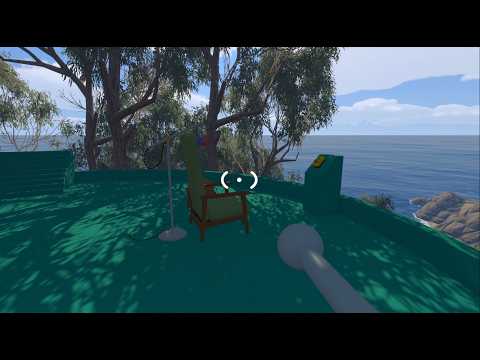
Big Walk answer hub
BigWalkGameGuide.com organizes the Big Walk questions that stop a group before or during a session: where to find a bag, whether one person can play, whether two people can share a screen, how a Join Code works, which platforms can connect, and what to check when the game will not start or join correctly. Every active guide is linked from this page. The short answers appear first, while the detailed pages keep official information, community route evidence and unresolved limits visibly separate.
Use this homepage as a route planner rather than a feed of loosely related posts. If the group has not started yet, settle the host, player count, crossplay and local co-op questions first. If everyone is already on the island, choose the map, item or puzzle landmark that matches what you can see. If a session fails, identify whether the symptom happens at startup, during loading or while connecting to the host. That order prevents a player from applying a connection fix to a graphics problem or following a puzzle route for the wrong structure.
Answers before details
Check the source-mapped blue buildings in the waist bag guide. Different guides may call the same item a fanny pack, hip pouch, hip pack or waist pack.
Read the full answer →Backpacks are documented in blue buildings. Use the dedicated route so you do not confuse the backpack with the smaller waist-worn bag.
Read the full answer →No full single-player or offline route is supported. One player can enter and look around briefly, but normal progress is designed for co-op.
Read the full answer →No. The supported same-home setup uses separate devices, displays, copies and accounts connected through online co-op.
Read the full answer →The host shares the code for the current active session. It is a private room-access code, not a reward code or permanent invitation.
Read the full answer →Separate startup, lobby and connecting symptoms, then work through the safe PC, PS5, graphics, host and network checks in order.
Read the full answer →Big Walk supports 2–12 online players. The host’s 2, 3 or 4+ world choice configures challenges; it is not the maximum group size.
Read the full answer →Yes across Windows, Mac, PS5 and Nintendo Switch 2. The first two parts of each player’s version number must match.
Read the full answer →All active guides
Bag questions are the most useful place to separate names before following a route. Big Walk has more than one bag type, and community guides use several regional words for the waist-worn item. These two pages keep the backpack and waist bag evidence separate, show what each source actually supports, and avoid treating a community-mapped building as a guaranteed spawn in every situation. Start with the item name you saw, then compare the other page if the shape or interaction does not match.
Find the waist bag under the fanny pack, hip pouch, hip pack, waist pack and belt search terms, then compare it with the backpack.
Open guide →Review the documented blue-building route, how players equip a bag, and the differences between a backpack and a waist-worn bag.
Open guide →Big Walk puzzle names are often community labels, so each guide starts by identifying the landmark, mechanism and evidence boundary. Use only the minimum hint your group needs. The puzzle hub connects the four documented puzzle groups, while the individual pages cover the Yellow Tower route, seven Purple Challenges, the 36 Colored Pegs and the two-player Radio Puzzle. The train page belongs here because it turns nearby challenge rewards into a practical transport unlock. No page treats mod-only movement or a player-made name as an official solution.
Choose the correct landmark and puzzle family before opening a solution. The index explains which names come from players rather than the game.
Open guide →Return available nearby rewards, take the released key and open the connected tunnel without assuming one mandatory numbered route.
Open guide →Review the documented late-game co-op mechanisms and keep no-clip footage separate from the normal route your group can follow.
Open guide →Search the four terrain groups, fill every hole in the circular board and use the final red button after the full set is present.
Open guide →Split into listener and explorer roles, identify the matching station and coordinate the chair-side button with the remote box.
Open guide →Use Blue Tower as the hub, return suitable nearby puzzle rewards and use the released key to unlock the train system.
Open guide →Multiplayer questions usually come down to five decisions: who hosts, how many people are expected, which platforms they use, how guests join and whether everyone has a separate supported device. Big Walk is arranged around a hosted online world rather than automatic public matchmaking. The host keeps the save, enters the world first and shares the current Join Code when the normal friends route is unavailable. Use the pages below to settle the solo, local co-op, player-count and crossplay boundaries before asking the group to troubleshoot a connection that cannot work.
Find, share and enter the current session code, keep it private and distinguish it from the reward-code system the game does not document.
Open guide →Get the direct one-player answer, see what can be checked alone and move from brief exploration to a supported co-op session.
Open guide →Confirm that one console and two controllers are not the supported setup, then review the separate-device same-home option.
Open guide →Check Windows, Mac, PS5 and Nintendo Switch 2 support, Join Code routes and the version-number compatibility rule.
Open guide →Compare the official 2–12 player range with the 2, 3 and 4+ world configurations before the host starts a session.
Open guide →A useful fix begins by naming the stage where the problem appears. A black screen at startup is different from a blank lobby after joining, and a connecting screen is different from a host world that is no longer active. The two troubleshooting guides use safe checks first: confirm the host state, internet access, system clocks, compatible versions and a full restart before changing anything else. They do not prescribe unknown downloads, save deletion, registry edits or a universal cure the official material does not support.
Use the Quick Fix order, then choose the PC, PS5, stuck-connecting or offline section that matches the visible symptom.
Open guide →Work through cannot join, stuck connecting, Game Is Offline and repeated-disconnection checks without inventing ports or router recipes.
Open guide →The basics section connects individual answers into a session plan. Begin at the full guide hub or map, decide who will hold the save, estimate the time your group can play and use the achievement overview only when completion matters. These pages make a distinction between an official system, a third-party estimate and player-reported route evidence. That distinction matters for playtime, coordinates and trophy names, where a single video or individual run should not be presented as a universal result.
Browse every active guide topic and move from the map and multiplayer rules to the specific puzzle, item or system you need.
Open guide →Learn how coordinates, towers, tunnels and transport landmarks help a group describe where it is without copying an unsupported route.
Open guide →Review the Steam and PS5 totals, the extra PlayStation platinum and the source limits around completion activities.
Open guide →Use the third-party 12–15 hour planning range for a first main route and allow more time for exploration or full completion.
Open guide →Understand host-owned automatic saving, how the same host continues a world and when Lost & Found may help with carried items.
Open guide →Before you form a group
Big Walk suits a group that wants to communicate, wander and solve cooperative challenges over more than one session. It expects online play, a chosen host and at least two players for normal progress. It does not provide the full solo, offline, split-screen or automatic matchmaking route some searchers expect. Friends on supported Windows, Mac, PS5 and Nintendo Switch 2 systems can use crossplay, and a current Join Code helps when the ordinary friends list is not the right route. If that setup fits your group, start with player count, crossplay and save progress before choosing a puzzle guide.
Quick checks
Big Walk is an online cooperative adventure built around exploring, communicating and solving challenges with a group. The official player range is 2–12.
There is no supported full single-player or offline route. One person can enter and explore briefly, but normal progression is designed for cooperative play.
The official material does not describe automatic public matchmaking. One player hosts a world and friends join through the supported friends flow or the host’s current Join Code.
The official list supports crossplay between Windows, Mac, PlayStation 5 and Nintendo Switch 2. Xbox is not included in that current list.
Not always. This site labels community names and approximate coordinates, links the source trail and avoids presenting mod-only movement as a normal solution.